case study
Plate Plan
Helping students plan smarter and waste less food in their daily routines.
role
User Research
Prototyping
Strategic Framing
principles
Service Design
Research-Driven Iteration
Systems Thinking
DURATION
1 Month
tools
Figma
Illustrator
Background
Problem
Solution
Plate Plan
Plate Plan simplifies meal planning and grocery management through several key solutions, addressing users' needs for efficiency, budget-friendliness, and sustainability. This is achieved through:
#1
Real-Time Inventory Tracking
Users can scan ingredients at home to track what they have, making it easier to plan meals and reduce waste.
#2
Tailored Recipe Suggestions
Customized recipes based on users' current ingredients simplify meal planning and ensure ingredients are fully utilized.
#3
Smart Shopping List
Users can add missing ingredients for recipes directly to a shopping list, streamlining grocery trips and preventing overspending.
#4
Personalized Recommendations
A simple onboarding lets the app learn your preferences, helping you build a meal planning routine that’s both easy to follow and sustainable over time.
USER INTERVIEW
Understanding Everyday Habits
We spoke with six students and young adults to understand their real-life routines around food: how they plan meals, what drives their shopping choices, and where things tend to fall apart.
Data Clustering
Connecting the Dots
The next step was to make sense of what we’d gathered through our interviews. Through clustering, we spotted recurring patterns in how students plan, shop, and waste food. It helped us move past surface-level frustrations and understand the habits shaping their decisions. These insights became a key part of how we shaped the design moving forward.
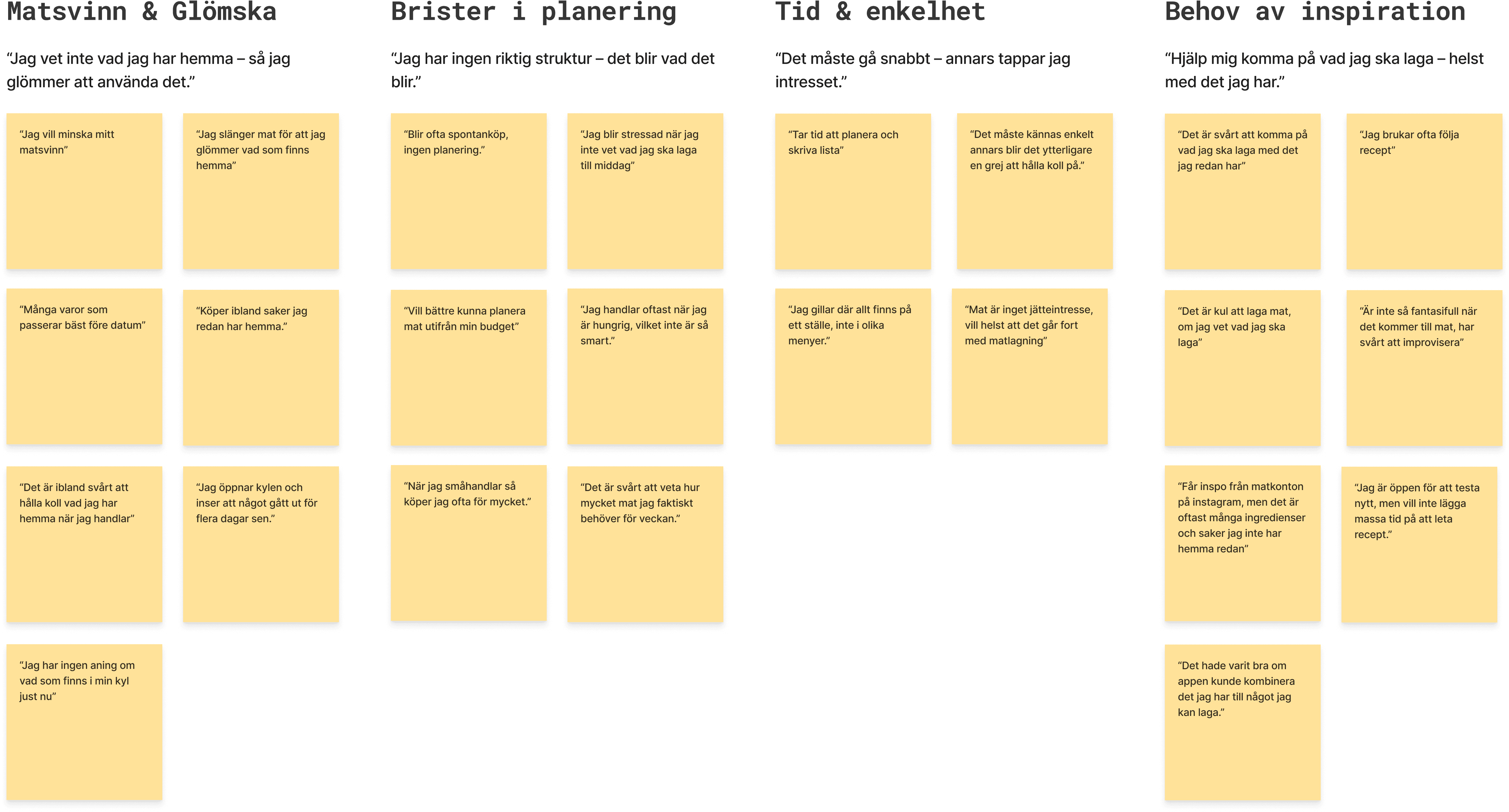
What We Found
Mapping the Market
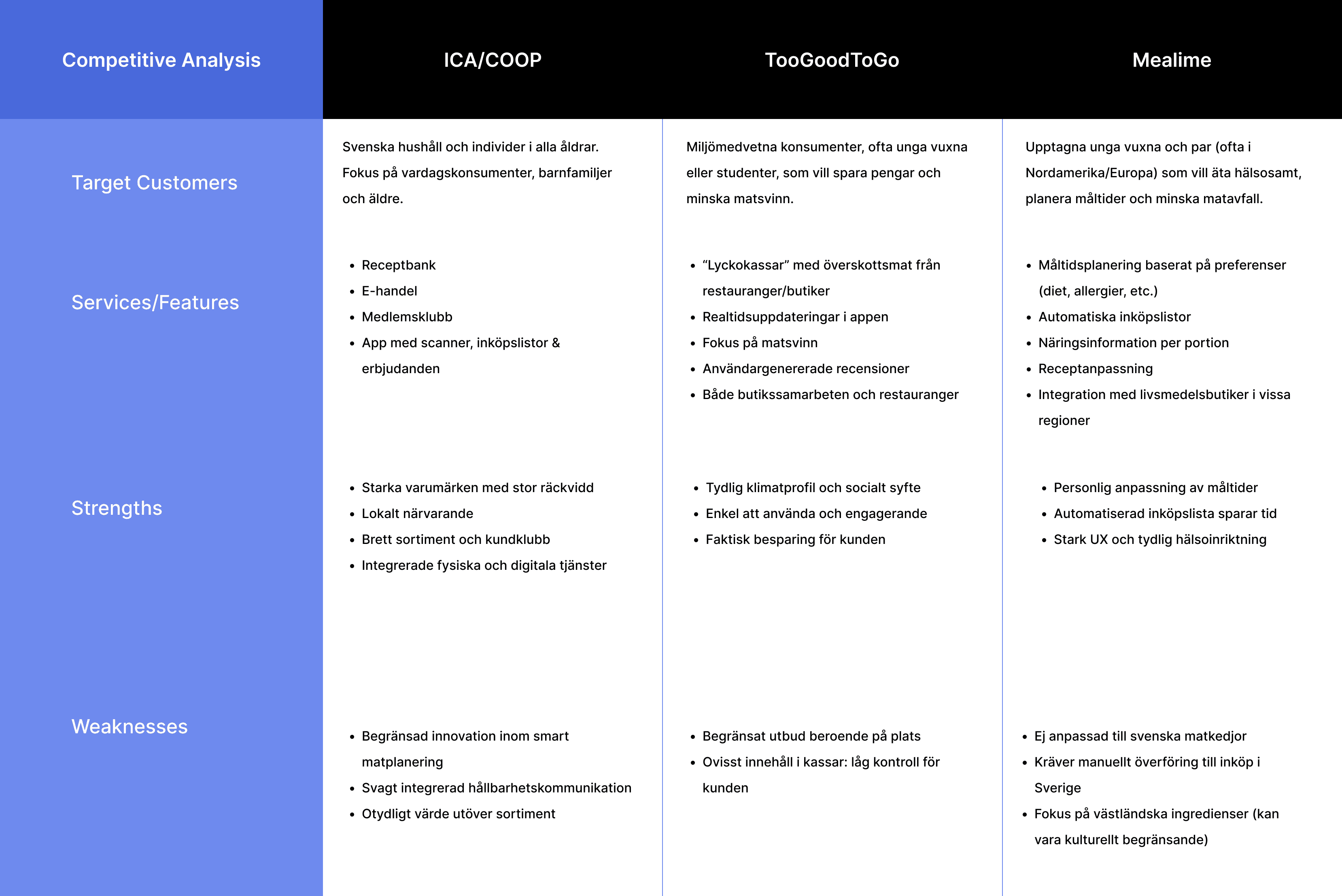
ICA/Coop
Strengths
Strong national brand with broad reach and physical–digital integration
Weaknesses
Limited innovation in smart planning and sustainability
TooGoodToGo
Strengths
Clear climate purpose with real savings and easy use
Weaknesses
Unpredictable selection and low user control
Mealime
Strengths
Personalized planning with seamless recipe-to-list flow
Weaknesses
No built-in waste tracking or inventory tools
outcome
Rough Sketches
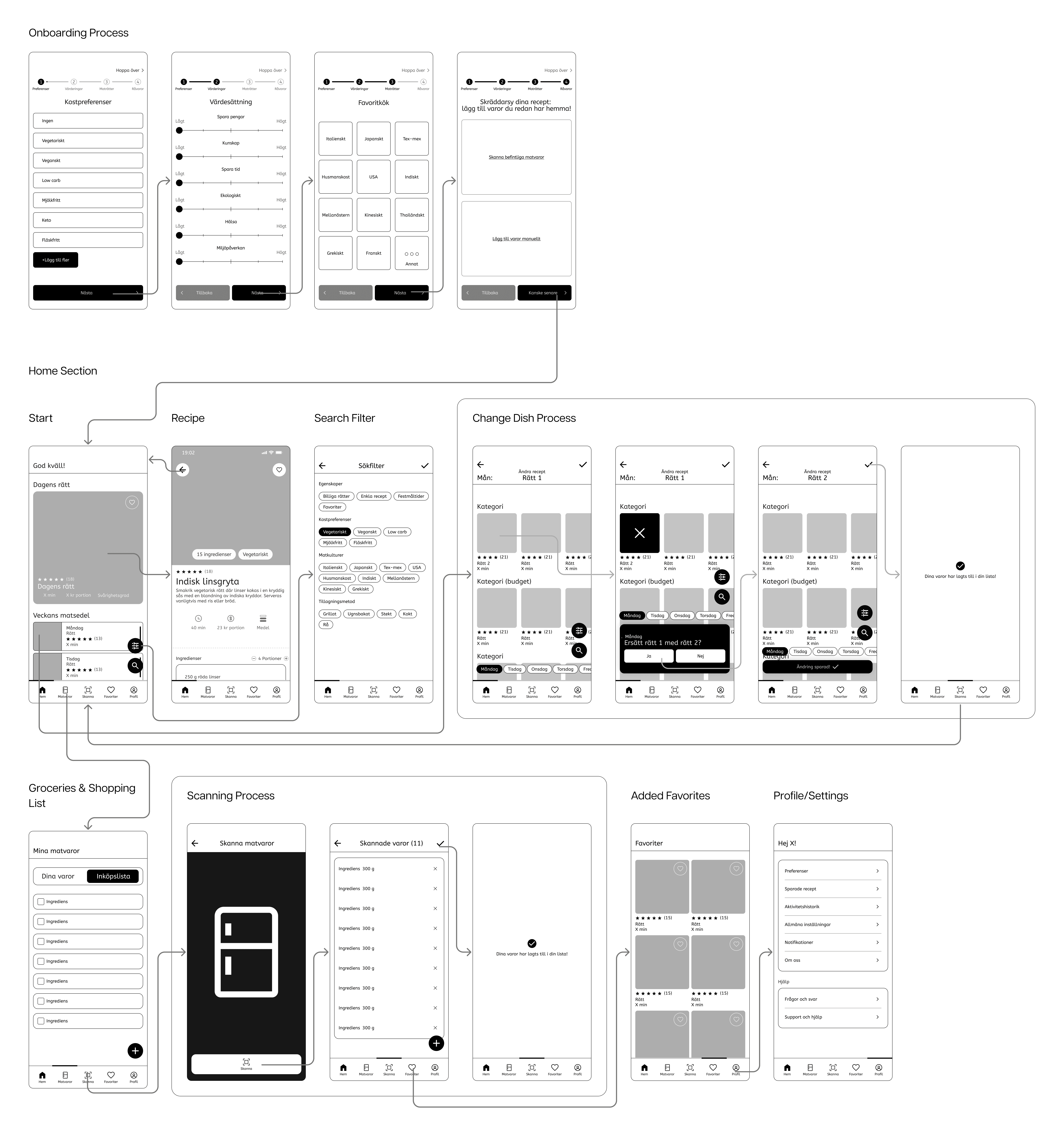
Screen Flows
User Testing
Initial Testing
Mid-Fidelity Iteration
Final Touches
Key Adjustments
Design System
Final Screens
Onboarding Process
Simple onboarding process that picks up your preferences, goals, and what’s already in your kitchen, setting up a personalized experience from the start.
Final Screens
Home Screen
The home screen gives a clear overview of what you can cook with what you already have at home. Easy filters and edits make it simple to plan meals or try something new without much effort.
Final Screens
Scanning Process
Users can scan their groceries to keep track of what’s at home, quickly build their digital fridge, pantry, and freezer, and cut down on waste while planning.
Final Screens
Managing Your Pantry, Favorites, and Profile
Save go-to meals, update your inventory manually, and manage preferences in one place to get better control over weekly meal planning.